Case study
InterviewLand AI
Unlike traditional interview assistants, InterviewLand AI creates a personalized AI agent trained on resume, skills, experience and career history to deliver contextual interview assistance and realistic practice sessions.
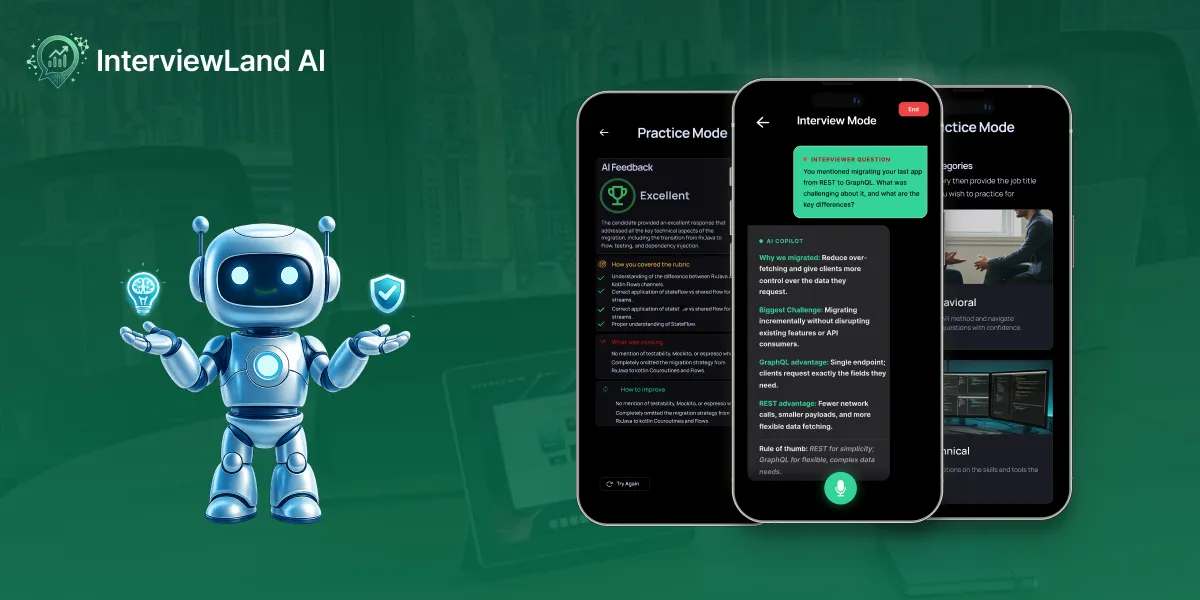
Overview
Responsibilities
- Product Strategy
- UX Research
- User Flow
- Wireframing
- Visual Design
- Design System
- Prototyping
- Usability Testing
The Problem
Preparing for interviews is stressful. Existing AI interview tools provide generic answers because they don’t understand the candidate’s background, making their guidance less relevant and less trustworthy.
Generic Responses
Most interview AI tools answer without knowing the user.
Resume Context Missing
Candidates repeatedly explain their experience.
Interview Anxiety
Lack of realistic practice decreases confidence.
The Opportunity
What if users could create their own AI interview assistant that truly understands them?
Research
Understanding users and the market.
Research Methods




Key Pain Points
- Generic answers
- Poor interview feedback
- Difficult practice flow
- Doesn't remember previous sessions
- Can't personalize advice
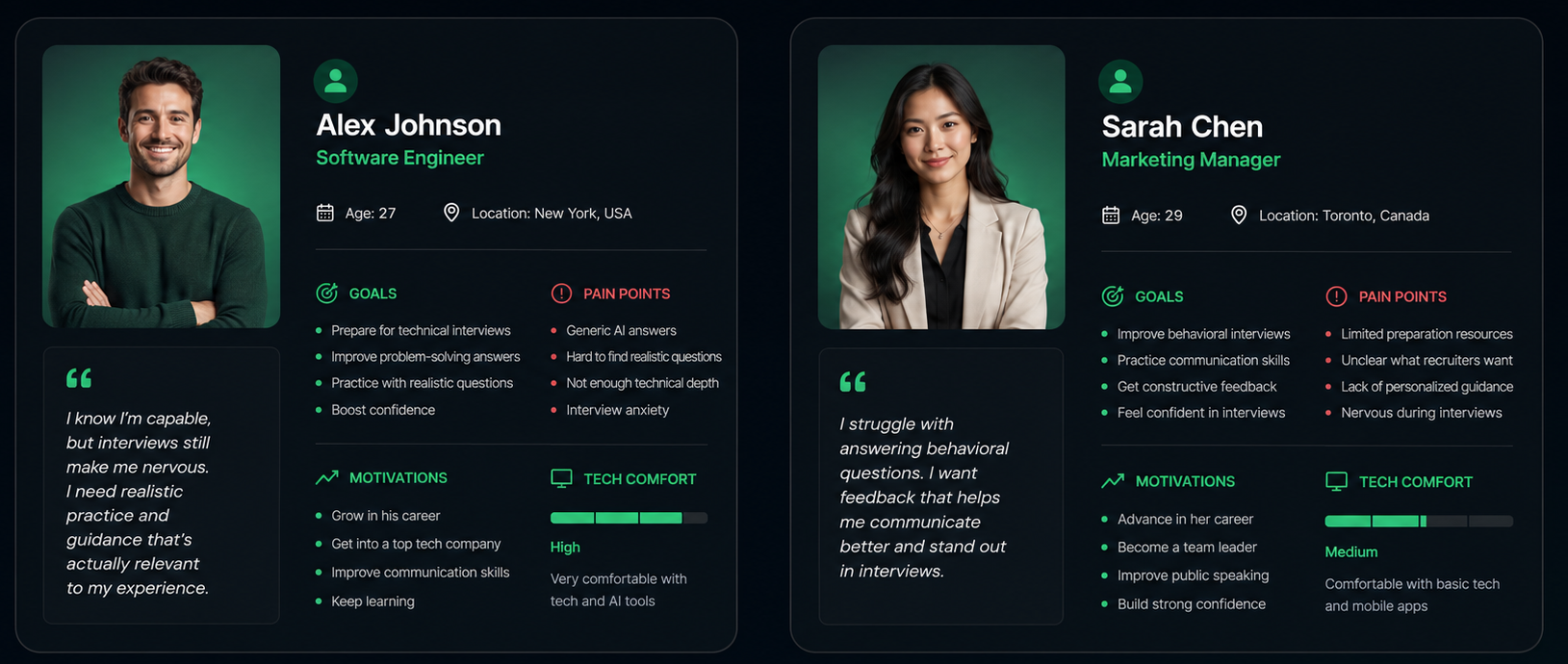
User Personas
To better understand our target audience, we developed user personas based on research findings and common interview preparation challenges. These personas helped guide design decisions by keeping user goals, frustrations, and motivations at the center of the product experience.
Key Insights
The research and personas revealed several recurring themes that shaped the direction of InterviewLand AI. Rather than focusing solely on AI-generated answers, users wanted an experience that felt personalized, trustworthy, and genuinely helpful throughout their interview preparation journey.
Personalization is Essential
Users expect AI to understand their background, skills, and experience instead of providing one-size-fits-all responses.
Confidence Comes Through Practice
Realistic interview simulations and constructive feedback help users reduce anxiety and feel more prepared before interviews.
Actionable Feedback Matters
Users value detailed explanations, strengths, and improvement suggestions over simple scores or generic evaluations.
Simplicity Improves Engagement
A clean, intuitive interface allows users to focus on practicing interviews rather than learning how to use the application.
Trust is Built Through Transparency
Users are more likely to rely on AI when they understand how it uses their resume and experience to generate personalized recommendations.
Design Takeaways
These insights directly influenced the product strategy and design decisions by prioritizing:
- Personalized AI coaching over generic chatbot interactions.
- A streamlined onboarding process centered around resume analysis.
- Realistic interview practice with categorized question sets.
- Clear, actionable AI feedback after every session.
- A modern, distraction-free interface that keeps users focused on interview preparation.
Competitive Analysis
How we compare.
| Feature | ChatGPT | Interview Warmup | Final Round AI | InterviewLand AI |
|---|---|---|---|---|
| Resume Understanding | Partial | No | Partial | ✓ |
| AI Memory | No | No | Partial | ✓ |
| Real-Time Interview Assistance | Limited | No | Yes | ✓ |
| Practice Questions | Yes | Yes | Yes | ✓ |
| Personalised AI Agent | No | No | No | ✓ |
| Detailed AI Feedback | Basic | Basic | Good | ✓ |
Design Process
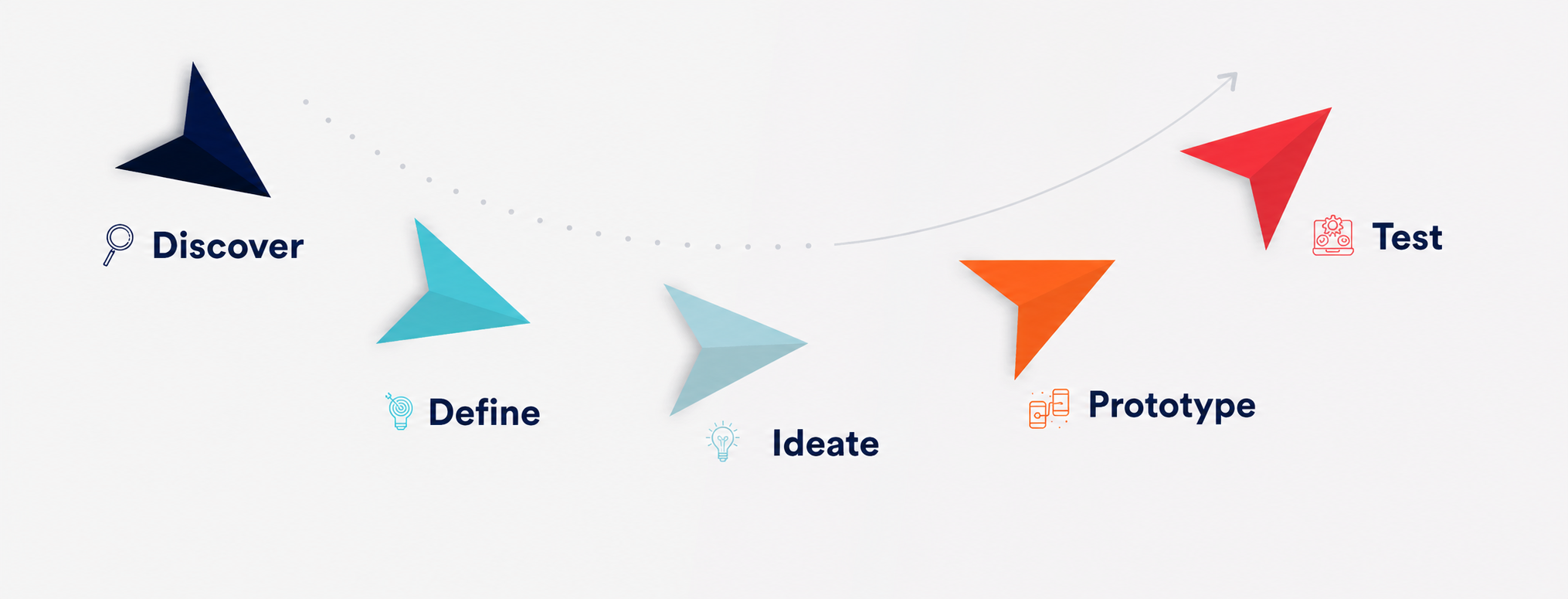
A five-step UX process — Discover, Define, Ideate, Prototype, and Test — kept the design grounded in real user needs from research through to validation.
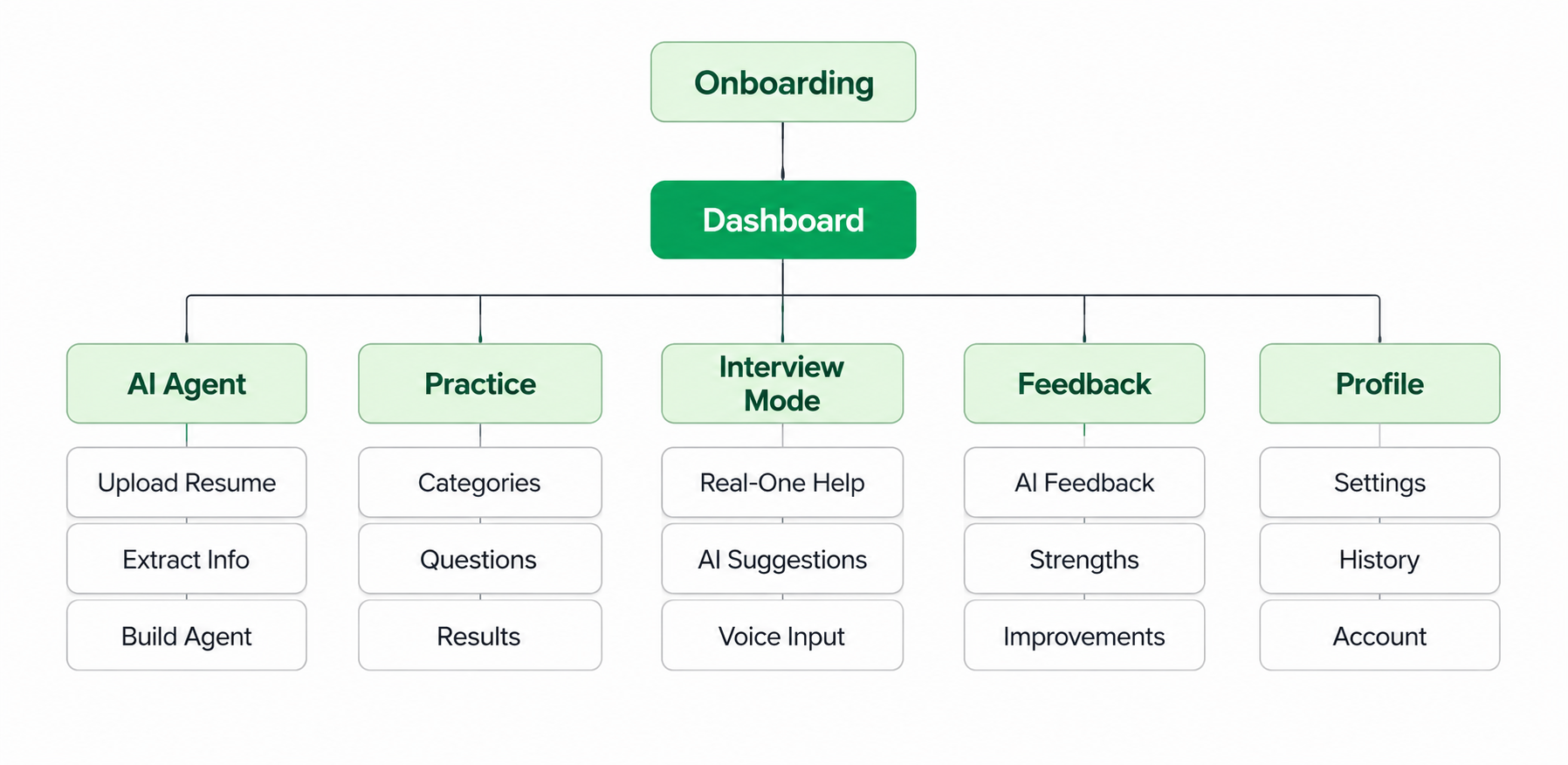
Information Architecture
To establish a clear product structure, I organized the application’s content and features into a logical hierarchy. This information architecture served as the foundation for navigation, ensuring users could easily access core functionality while minimizing cognitive load.
Sitemap
User Flow
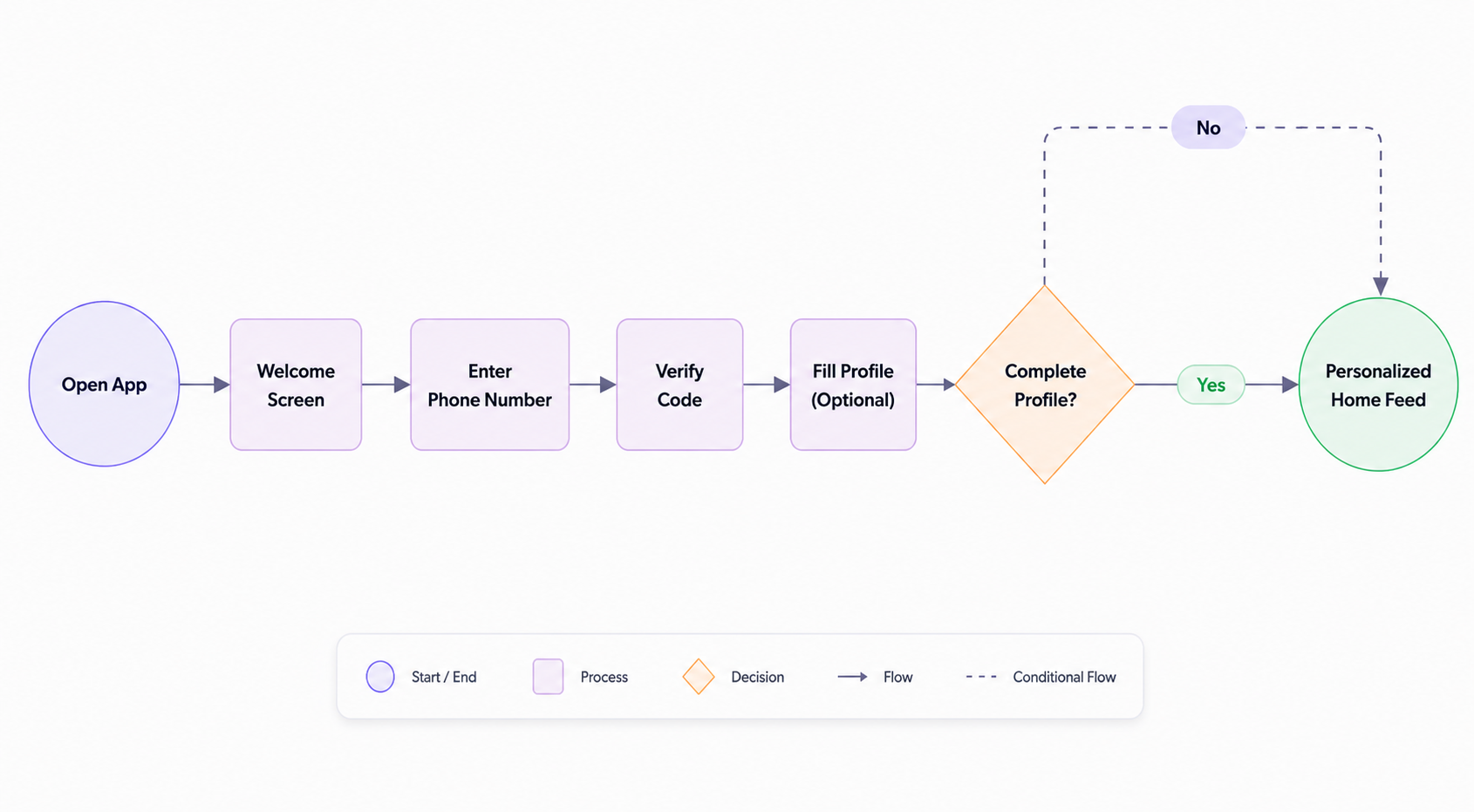
Once the structure was defined, I mapped the primary user journeys to visualize how users would interact with the product. These flows helped validate navigation patterns, identify potential friction points, and create a smooth, intuitive path from onboarding to interview preparation and AI feedback.
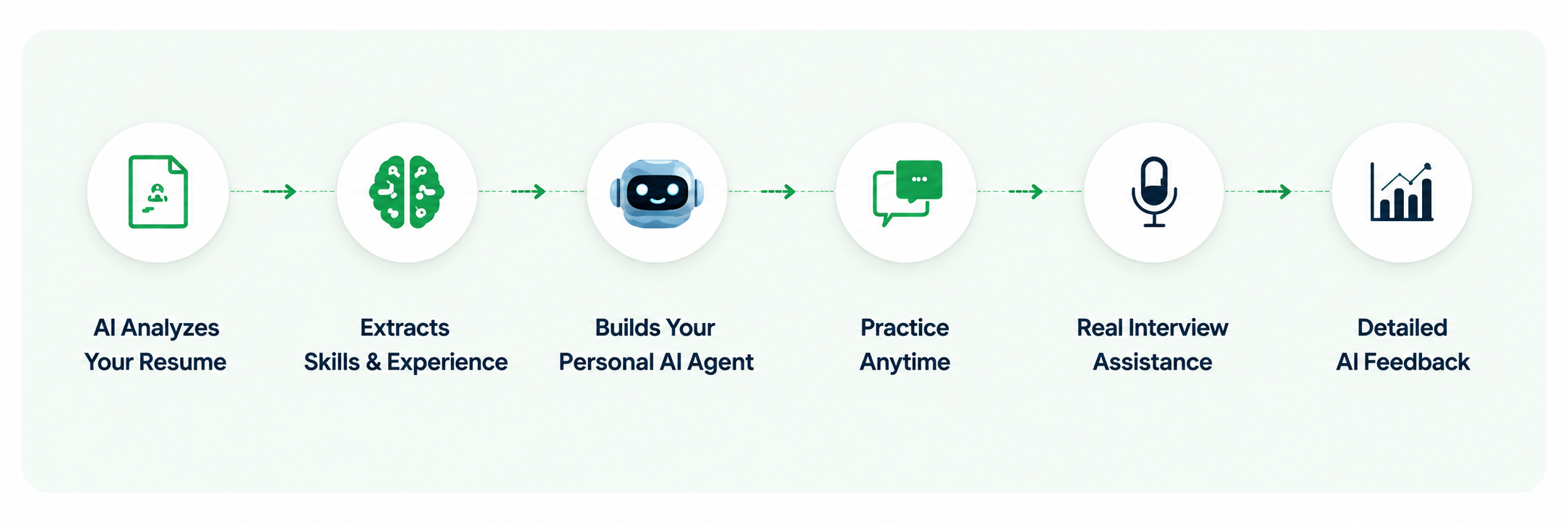
How InterviewLand AI Works
A simple and seamless journey from onboarding to personalized interview preparation.
Low Fidelity Wireframes
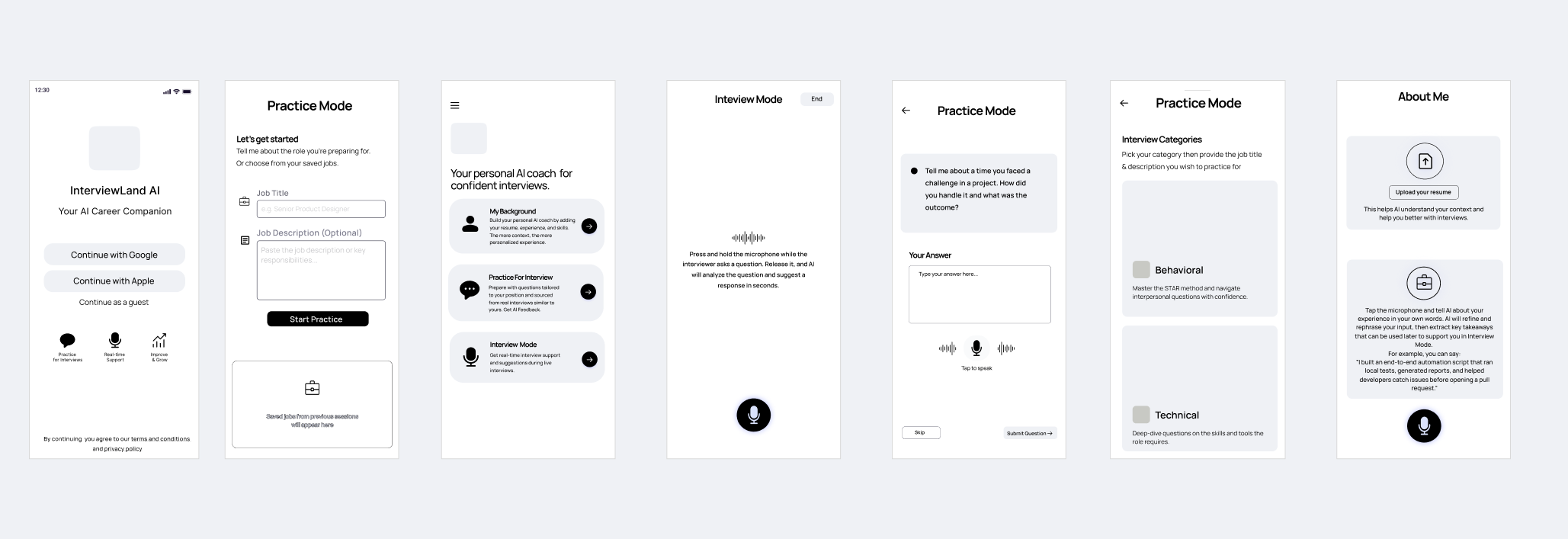
The wireframing phase focused on establishing a clear and intuitive foundation for the product. Through several iterations, I refined navigation patterns, optimized information hierarchy, and simplified user interactions to reduce cognitive load. Testing ideas at a low-fidelity stage enabled rapid exploration of different layouts and workflows, ensuring the final interface prioritized usability, efficiency, and a seamless interview preparation experience.
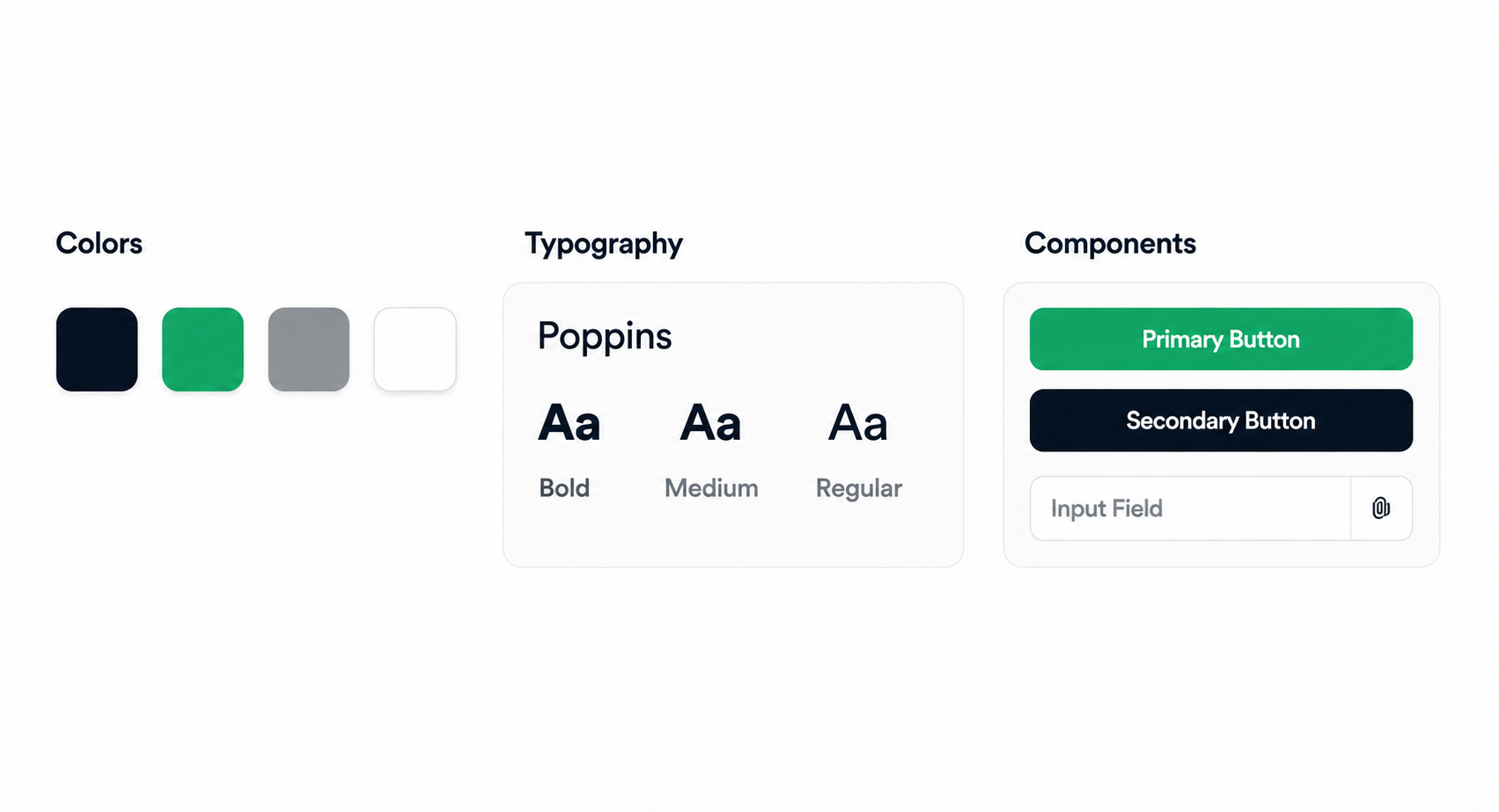
UI Elements
Consistent. Modern. AI-focused.
Icons

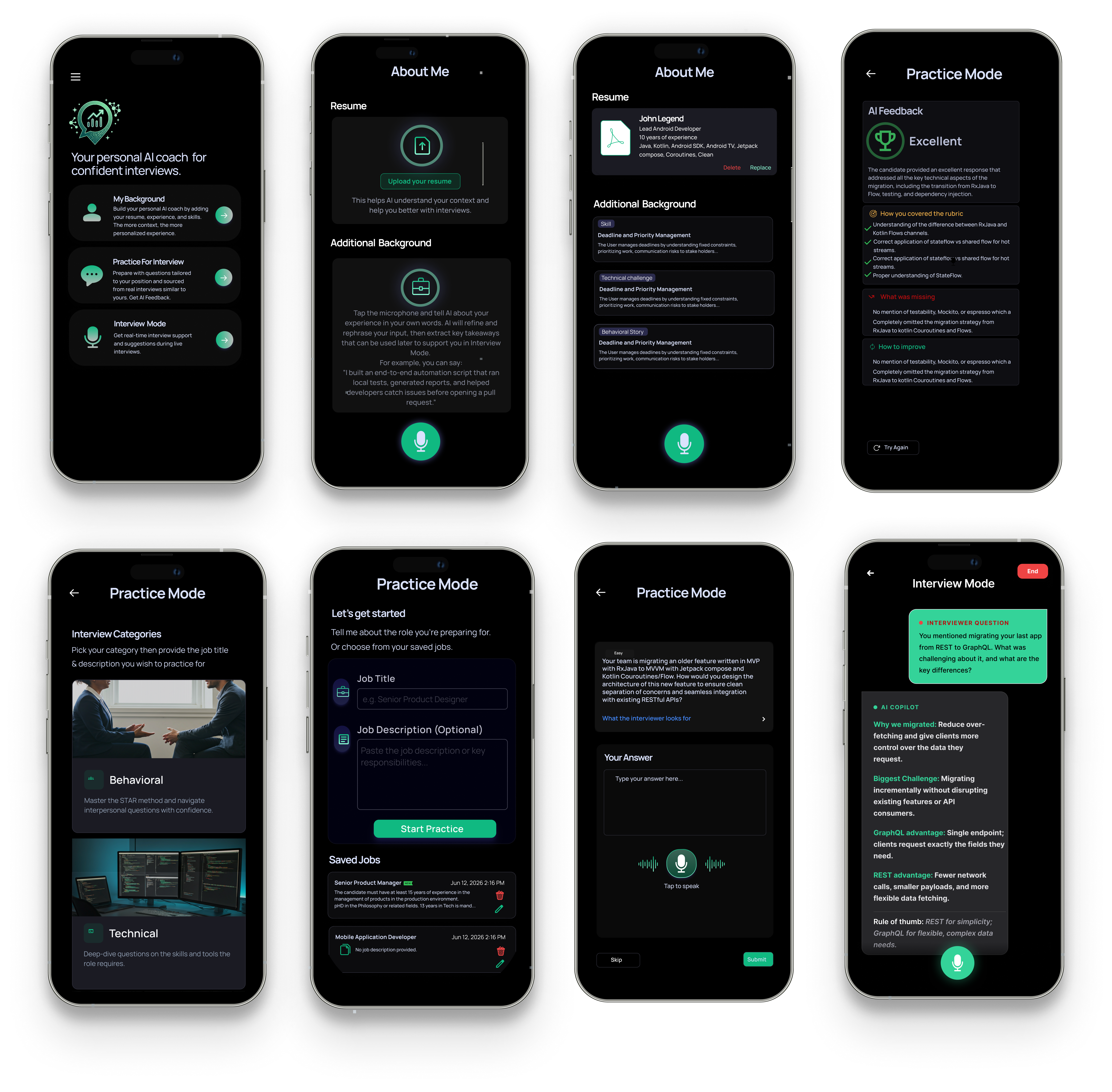
UI Showcase
Usability Testing
To evaluate the overall user experience, I conducted usability testing with participants from diverse professional backgrounds, including students, software engineers, marketers, and designers. The sessions focused on validating the onboarding experience, navigation, and core interview preparation workflow. Observing users interact with the prototype helped identify areas of friction and provided valuable insights that informed refinements before moving toward the final design.
Tasks
Participants were asked to complete the following tasks:
- 01Upload their resume and create a personalized AI agent.
- 02Navigate to the Practice Mode.
- 03Complete a mock interview session.
- 04Review the AI-generated feedback.
- 05Explore the application's main features and navigation.
Key Findings
The testing revealed several positive outcomes:
- ✓ Users quickly understood the onboarding process and were able to create their AI agent without assistance.
- ✓ The navigation was perceived as intuitive and easy to follow.
- ✓ Participants appreciated the personalized nature of the AI responses compared to generic interview tools.
- ✓ The clean interface helped users stay focused on practicing interviews rather than learning the application.
- ✓ AI-generated feedback was considered valuable, with users preferring detailed improvement suggestions over simple scores.
Opportunities for Improvement
User feedback also highlighted opportunities for future enhancements, including:
- +Progress tracking across multiple practice sessions.
- +Interview history for reviewing previous responses.
- +Company-specific interview question sets.
- +More customization options for practice categories.
- +Performance analytics to help users monitor long-term improvement.
Final Outcome
- ✓Complete end-to-end mobile experience designed.
- ✓Consistent design system established.
- ✓Play Store assets prepared.
- ✓Prototype tested with users.
- ✓Ready for launch.
Lessons Learned
Working on InterviewLand AI reinforced the importance of designing AI experiences around trust rather than automation. Personalization, transparency, and contextual awareness proved far more valuable than simply generating fast responses. Through multiple design iterations and user feedback, I learned how small UX decisions — such as reducing onboarding friction, simplifying interview flows, and presenting AI feedback more clearly — can significantly improve confidence and usability.